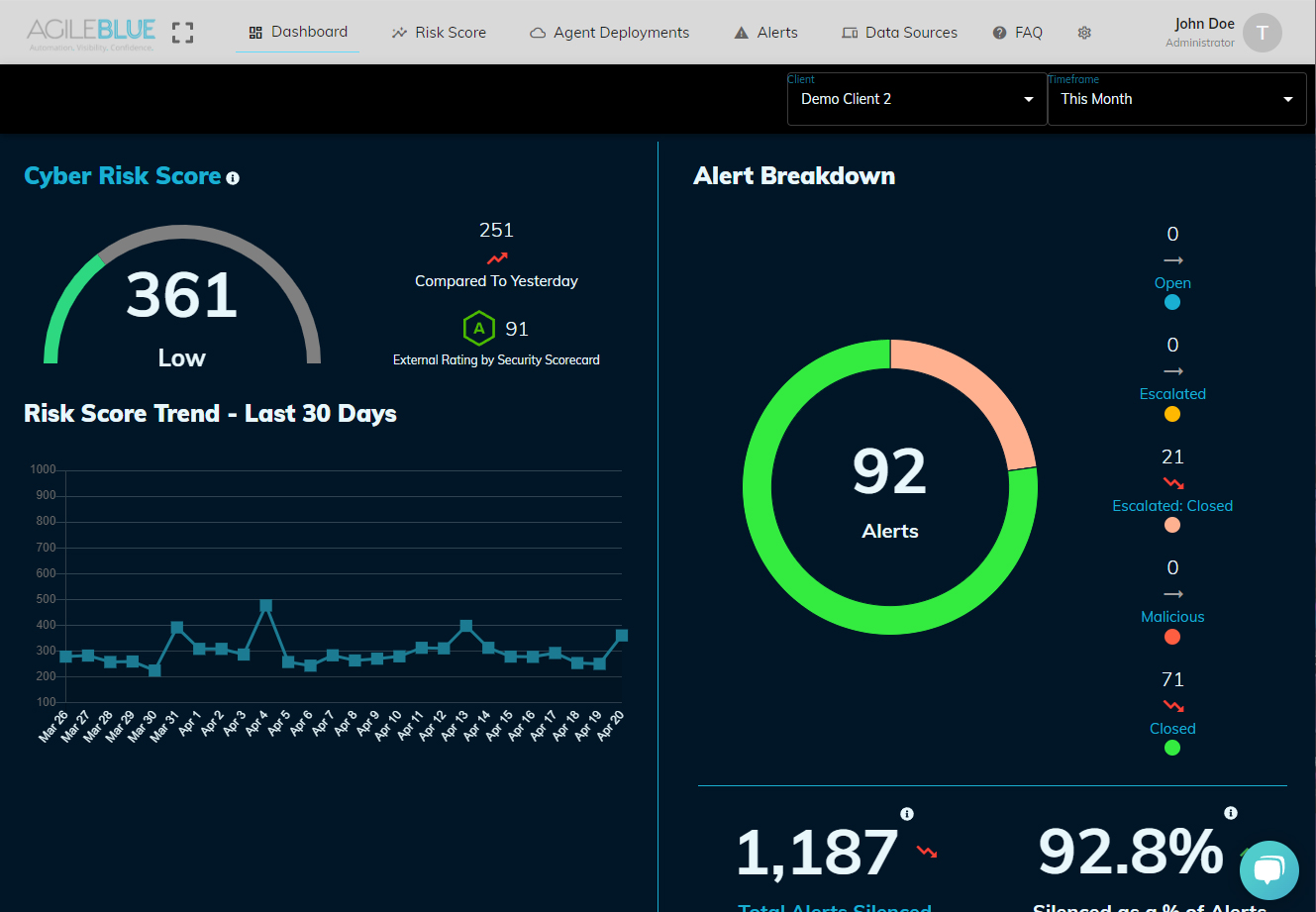
Security Operations Centre
CREST Certified SOC

Security Operations
24/7 — Without Compromise

CommuniCloud's CREST-certified SOC delivers continuous threat detection, real-time monitoring, and expert incident response — protecting your business around the clock.

24/7SOC Monitoring
350+Clients Protected
<15minMean Response Time
CRESTCertified

What We Deliver

Full-Spectrum SOC Capabilities

Real-Time SIEM

Industry-leading SIEM technology aggregates and correlates security events across all your systems, identifying threats invisible to point tools.

Threat Hunting

Proactive threat hunting by our CISSP-certified analysts — searching for attacker activity that automated tools don't detect.

Incident Response

Rapid, coordinated incident response — containment, eradication, recovery, and detailed post-incident reporting within SLA.

Log Management

Centralised, tamper-evident log collection and retention meeting compliance requirements for forensic investigation and auditing.

Vulnerability Management

Continuous vulnerability scanning with prioritised remediation guidance — close the gaps before attackers find them.

Security Reporting

Regular board-level and technical security reports — metrics, trend analysis, and actionable recommendations for continuous improvement.

Common Questions

SOC & SIEM FAQ

What is a Security Operations Centre (SOC)?

A Security Operations Centre is a team of cybersecurity experts combined with technology to monitor, detect, and respond to threats around the clock. CommuniCloud's CREST-certified SOC acts as your dedicated security team — providing the expertise and tooling that would cost millions to build in-house.

What is SIEM and why do I need it?

SIEM (Security Information and Event Management) aggregates security events from all your systems — servers, firewalls, endpoints, cloud apps — correlates them in real time, and alerts our analysts to suspicious patterns. Without SIEM, threats hide in separate system logs that no individual can monitor comprehensively.

How does a managed SOC differ from in-house security?

A managed SOC provides 24/7 coverage from a team of specialists with enterprise-grade tooling for a fraction of the cost of hiring. Building an in-house SOC requires 5–8 analysts per shift, millions in technology, and years to build expertise. CommuniCloud gives you a mature SOC from day one.

What do you need from us to connect our systems to the SOC?

Typically read-only API access or log forwarding from your key systems: firewalls, Active Directory, endpoint protection, cloud infrastructure. Our onboarding team handles the technical integration — most clients are connected within 2–4 weeks.

What happens when a threat is detected?

Our analysts triage the alert within minutes. Depending on severity: low threats are logged and reported; medium threats trigger notification and guidance; high/critical threats initiate immediate incident response — our team contacts your designated contacts and takes pre-authorised containment actions.

Is a managed SOC compliant with Australian regulations?

Yes. Our SOC operates from Australian data centres, ensuring log data and security events remain on Australian soil. We provide compliance reporting for the Australian Privacy Act, Essential Eight, PSPF, and ISO 27001 requirements.

What is CREST certification?

CREST is an internationally recognised, not-for-profit accreditation body for the technical security industry. CREST-certified SOCs meet rigorous standards for people, processes, and technology. It's the benchmark that government agencies and large enterprises require from their security providers.

How do you price managed SOC services?

SOC services are priced on a monthly subscription based on the scope of systems monitored and required coverage level. We offer tiered packages from essential monitoring to full managed detection and response. Contact us for a detailed proposal tailored to your environment.

Get 24/7 SOC Protection

Talk to our team about protecting your organisation with CREST-certified security monitoring.

Start the Conversation
CallMessage